
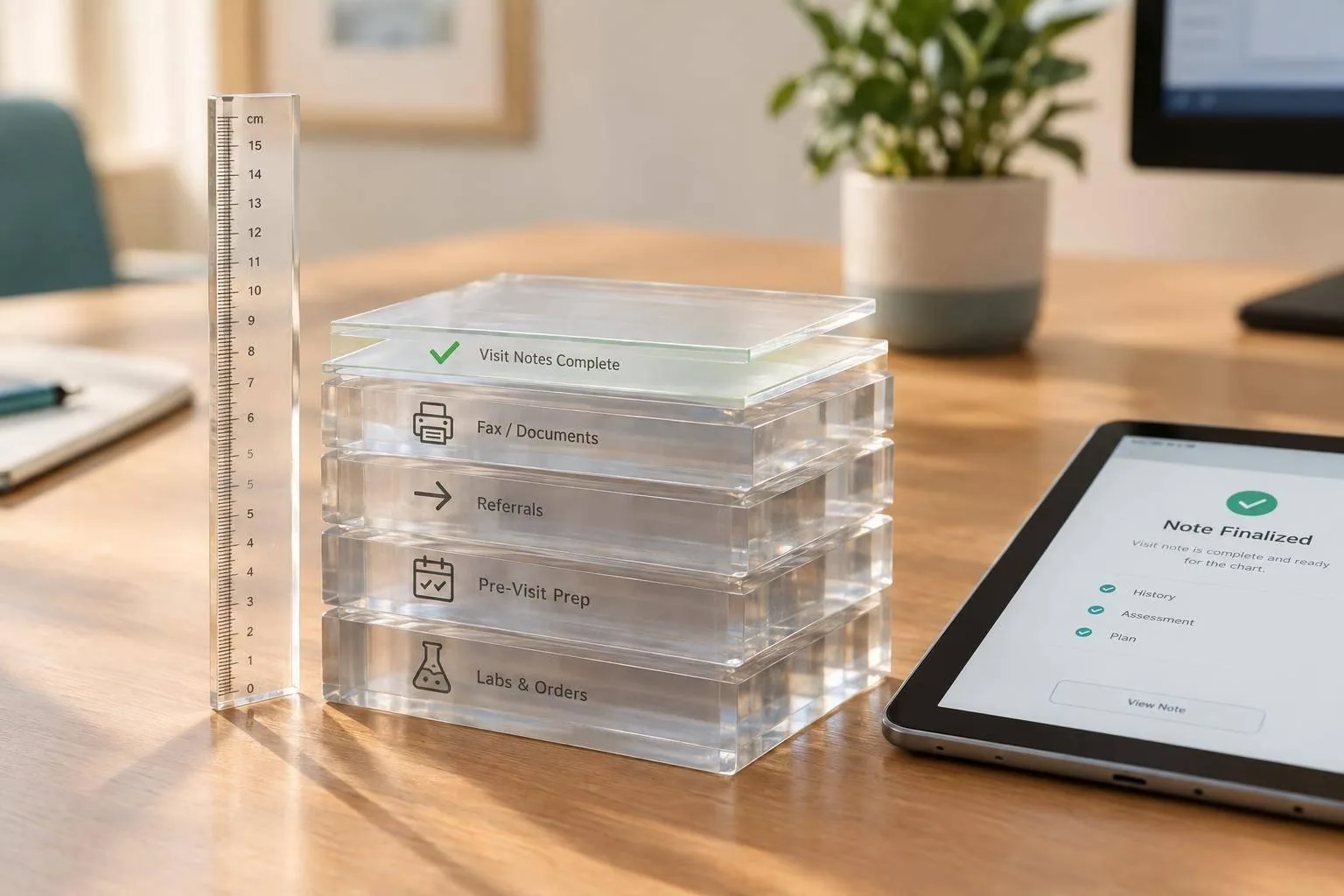
AI scribes can reduce charting time without reducing the rest of the workload. A useful first step: list the practice’s 10 most repetitive daily tasks and separate note-writing from fax intake, referral follow-up, and pre-visit records.
The tools serve different roles:
- AI scribes draft encounter notes. Clinicians still review, correct, and sign them.
- Front-office AI agents, such as Diagna’s tools, help sort faxes, match patient records, and track referrals. Staff still review uncertain matches and unresolved tasks.
Before a pilot, check EMR integration, privacy requirements, and human review. Then compare staff hours, referral scheduling, missing records, clinician interruptions, and reported workload - not just document counts. Less charting is progress. It is not, by itself, proof of less burnout.
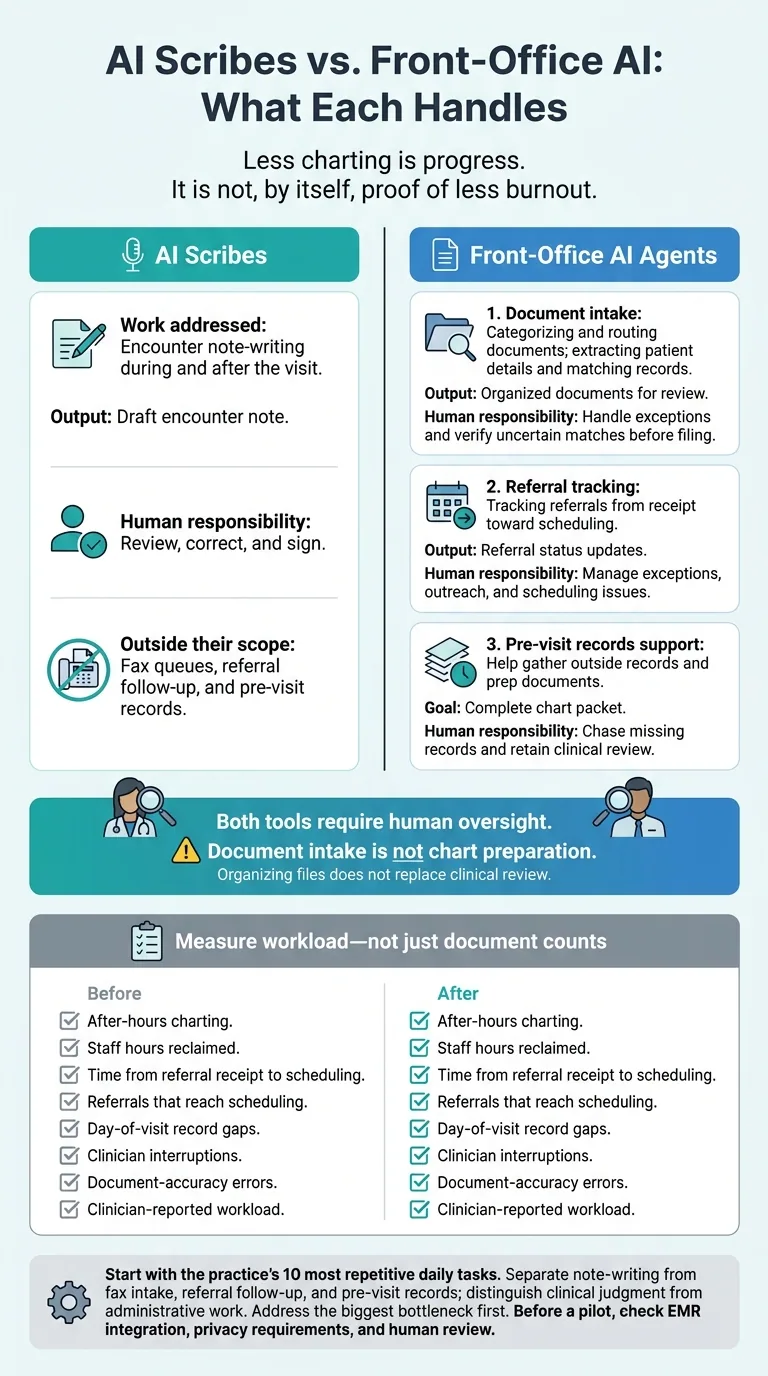
AI Scribes vs. Front-Office AI: What Each Handles
What AI Scribes Do - and What They Don't
Visit Notes and After-Hours Charting
AI scribes turn patient conversations into draft encounter notes, helping reduce manual charting and after-hours note writing. Clinicians must still review, correct, and sign every draft. Fax queues, referral follow-up, and pre-visit records remain outside the tool’s scope.
Charting time measures workflow - not burnout. Measuring burnout calls for a broader look at the practice.
AI Scribes vs. Front-Office AI Agents
The difference comes down to the work each tool handles: encounter notes or front-office tasks. Front-office AI agents help with fax review, referral tracking, and pre-visit prep - work that note-writing tools leave untouched. Staff still handle exceptions and provide human review.
| Workflow stage | Primary user | Task handled | Typical output | Remaining human work |
|---|---|---|---|---|
| During and after the encounter | Clinician | Drafting the visit note | Draft encounter note | Review, correct, and sign |
| Document intake | Front-office staff | Categorizing and routing documents | Organized documents for review | Handle exceptions |
| Referral tracking | Front-office staff | Tracking referrals from receipt toward scheduling | Referral status updates | Manage exceptions and outreach |
| Before the visit | Front-office staff | Gathering outside records and prep documents | Complete chart packet | Chase missing records |
How do those unfinished tasks affect the daily workload? To find the right fit, list the 10 most repetitive daily tasks. Separate work that requires clinical judgment from administrative tasks, such as sorting faxes or entering data. This helps show which burdens note assistance can address and which call for front-office automation.
Administrative Tasks That Note Automation Leaves Behind
Fax Review and Patient-Record Matching
Every incoming fax still needs manual review, matching to the right patient, and entry into the EMR. Measure the fax-to-EMR gap by counting each handoff before the data is ready to use in the EMR.
Referral Tracking From Receipt to Scheduling
The manual work doesn't stop at intake. Before a referral reaches scheduling, front-office staff verify patient details, request missing records, contact the patient, and follow up on scheduling.
Give every referral an owner and a next step. Without clear ownership, staff repeat calls and request documents that have already arrived. Approximately 46% of referrals never lead to a scheduled appointment because of manual intake delays and lost follow-ups[2].
Pre-Visit Records and Chart Preparation
Before the appointment, front-office staff must gather outside notes, lab results, and other pre-visit documents. Flag missing records early and track outstanding items in one visible place. Otherwise, those gaps can surface during the appointment, sending front-office staff searching for records and pulling clinicians away from patient care[1].
Track day-of-visit record gaps and related clinician interruptions - not just time spent writing notes. Missing information causes costly disruptions during patient visits. After an administrative interruption, it can take 15 to 23 minutes to fully regain focus[2].
Pair AI Scribes With Front-Office Automation
Use AI scribes for encounter-related writing and front-office AI agents for fax review, referral tracking, and pre-visit documents. These tools handle different tasks, but they belong in the same workflow discussion. Evaluate Diagna based on the front-office work your practice needs help with. Faster intake alone does not prove burnout relief.
Match Diagna's Tools to Administrative Tasks
Match each administrative burden to one automation layer before assessing results.
| Administrative burden | Diagna capability | Remaining human responsibility |
|---|---|---|
| Sorting and routing incoming faxes | FAXFlo receives, reads, categorizes, and routes every incoming fax | Review edge cases and unclear documents |
| Extracting patient details and linking records | Patient-data extraction and EMR record matching | Verify uncertain matches before filing |
| Monitoring inbound referrals | Referral Manager tracks each referral from receipt to scheduled appointment | Review exceptions and scheduling issues |
| Managing fax, email, and upload intake | Unified inbox for fax, email, and uploads | Triage unresolved work |
Document intake is not chart preparation. Organizing files does not replace clinical review.
Check EMR Integration and Human Review
Diagna works with existing EMRs without changing workflows. Check that setup against how your practice works. Start with the one-click Sync to EMR option before considering automatic filing [1]. Assign responsibility for uncertain patient matches and other exceptions.
Diagna states that it is HIPAA-compliant. Before launch, define which actions staff can review and correct.
Pilot Fax Triage or Referral Tracking
Have the practice manager lead a pilot for one workflow. Record staff hours saved, time from referral receipt to scheduling, document-accuracy errors, and clinician interruptions or after-hours work.
Track exceptions weekly so higher throughput isn't mistaken for reduced burnout. Use the pilot results to check whether the workload shrank - not just whether documents moved faster.
Conclusion: Measure Workload Beyond Note-Writing
AI scribes reduce note-writing time. But fax review, referral tracking, and pre-visit prep still take work.
To measure results, compare workload before and after implementation, not just note volume. Track after-hours charting, visit interruptions, staff hours reclaimed, referrals that reach scheduling, and clinician-reported workload [2].
List the 10 most repetitive daily tasks and flag those that don’t require clinical judgment [2]. Address the biggest bottleneck first. If note-writing time drops but fax, referral, and prep work stay the same, burnout may not improve much.
FAQs
Should our clinic prioritize note assistance or front-office automation?
To reduce clinician burnout, start with front-office automation - not note drafting. Focus on high-volume administrative tasks that follow clear rules. Note assistance still leaves staff with fax review, referral tracking, and pre-visit document work.
AI can route faxes, extract referral and insurance details, file documents, and track status. Staff can review cases where the AI is uncertain.
Before expanding, run a pilot that measures accuracy, exception rate, and time to schedule. [1][2][3]
How can we keep automation from creating extra review work?
Automate routine cases from start to finish. Route low-confidence or incomplete patient matches, extracted fields, or document classifications to an exception queue. Show original documents and extracted data side by side so staff can validate flagged cases - not review every case [1][2].
Keep intake automation separate from scheduling, follow-up, and missing-document tracking to avoid stalled work and repeat reviews [2]. Run a pilot alongside your current process, then adjust until exception rates stay low [1].
How can we tell if time savings actually reduce burnout?
Measure net workload relief - not just faster AI processing. Compare baseline and pilot results for staff time per completed item, correction and exception rates, time from document or referral receipt to the next action, and referral scheduling and completion rates. Track burnout scores and after-hours work during the same period.
A UCLA AI scribe study found less documentation time and approximately 7% better burnout scores compared with the control group. The findings suggest a link between time savings and lower burnout when quality checks and oversight don’t add work. [1][2]
Fax management
Diagna reads every fax within minutes, 24/7. It sorts it, matches the patient, and sends it to the right person.
See how Diagna automates fax management