
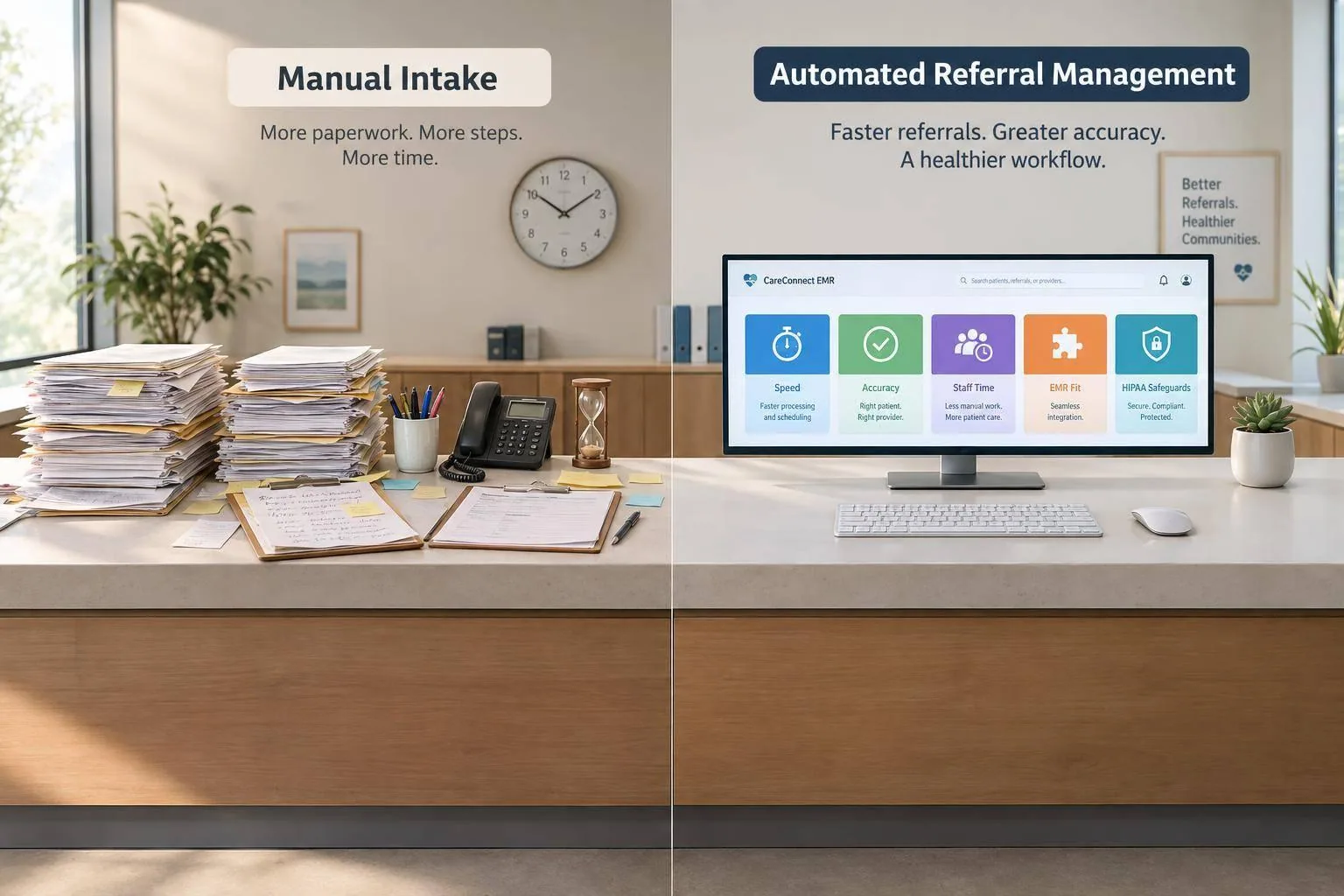
I’d choose based on staff workload and EMR fit: manual intake leaves each step to staff; automated referral management handles routine tasks while staff review uncertain or urgent cases. Before switching, I’d test patient matching, EMR updates, and downtime procedures.
The potential time savings are worth measuring. In one Diagna case study, a 12-provider GI clinic reported cutting referral turnaround from 4.2 days to same-day and saving 15 staff hours per week. That’s one clinic’s result - not a promise for yours.
Quick Comparison
| Criterion | Manual Intake | Automated Referral Management |
|---|---|---|
| Intake and routing | Staff review, enter, and assign referrals | Software extracts data and routes work using set rules |
| Speed and workload | Each step takes staff time | Routine work needs fewer manual touches |
| Accuracy | Staff check entries against documents | Staff validate extracted data and uncertain patient matches |
| Visibility and follow-up | Staff maintain logs and track contact attempts | Queues, status updates, and reminders track next steps |
| Higher volume | More referrals add staff work | Software handles routine tasks; staff review flagged cases |
| HIPAA safeguards | Requires secure handling and access controls | Requires verified permissions, audit logs, and vendor agreements |
| Human oversight | Staff handle every step | Staff handle unclear records, unresolved cases, and clinical concerns |
| Cost and EMR fit | Depends on staffing and existing tools | Depends on integration, setup, training, and recurring fees |
My bottom line: <u>compare results, not feature lists</u>. I’d measure staff minutes per referral, backlog age, errors, scheduling rates, and total costs before and during a pilot. Neither approach removes the clinic’s responsibility for patient safety or HIPAA compliance.
How Manual and Automated Referral Workflows Differ
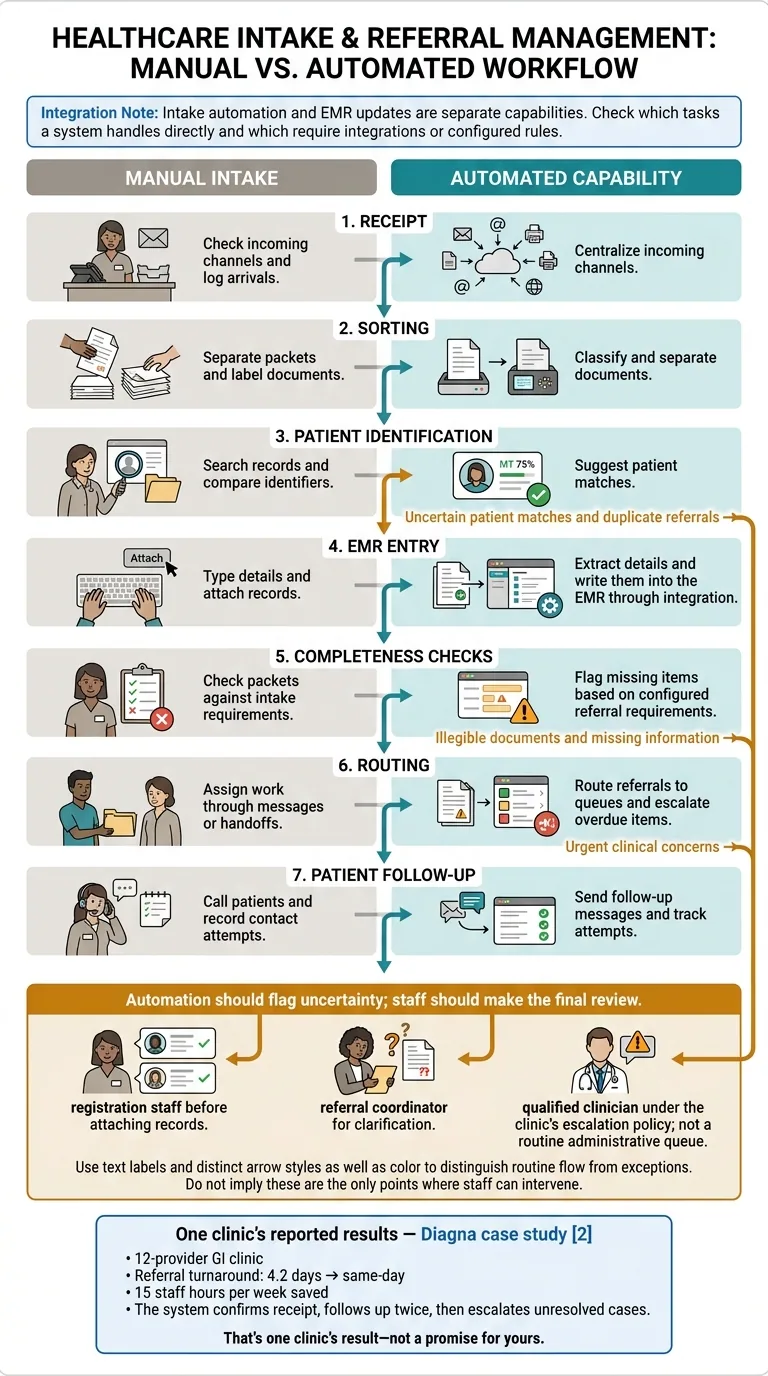
Manual vs. Automated Referral Intake Workflow
Manual Intake Steps and Delays
Manual intake puts each referral through several staff tasks: reviewing documents, identifying the patient, entering details, requesting missing information, and contacting the patient. Every handoff adds time and room for errors or rework. As referral volume grows, incomplete or unassigned referrals are more likely to stall before scheduling.
| Workflow Step | Manual Intake | Automated Capability |
|---|---|---|
| Receipt | Check incoming channels and log arrivals. | Centralize incoming channels. |
| Sorting | Separate packets and label documents. | Classify and separate documents. |
| Patient identification | Search records and compare identifiers. | Suggest patient matches. |
| EMR entry | Type details and attach records. | Extract details and write them into the EMR through integration. |
| Completeness checks | Check packets against intake requirements. | Flag missing items based on configured referral requirements. |
| Routing | Assign work through messages or handoffs. | Route referrals to queues and escalate overdue items. |
| Patient follow-up | Call patients and record contact attempts. | Send follow-up messages and track attempts. |
Automated Intake, Routing, and Tracking
Intake automation and EMR updates are separate capabilities. Check which tasks a system handles directly and which require integrations or configured rules. Status tracking helps staff spot stalled referrals and send exceptions for review.
Automation makes the biggest difference when routine referrals move forward without staff handoffs.
In a Diagna case study, a 12-provider GI clinic cut referral turnaround from 4.2 days to same-day and recovered 15 staff hours per week. The system confirms receipt, follows up twice, then escalates unresolved cases. [2]
Routine cases move faster, while exceptions still need human review.
When Staff Review Is Needed
Automation should flag uncertainty; staff should make the final review. Mismatched patients, illegible documents, duplicate referrals, and urgent findings all need staff attention.
Send uncertain patient matches and duplicate referrals to registration staff before attaching records. Route illegible documents and missing information to the referral coordinator for clarification.
Urgent clinical concerns should go to a qualified clinician under the clinic’s escalation policy - not wait in a routine administrative queue.
Compare Efficiency, Accuracy, and Compliance
Compare these workflows by speed, accuracy, and compliance. Results depend on implementation, EMR integration, and how staff workflows are designed.
| Comparison Criterion | Manual Intake | Automated Referral Management | Workflow Impact |
|---|---|---|---|
| Speed | Staff handle referrals one at a time | Routine work needs fewer manual touches | Less waiting between steps |
| Accuracy | Staff transcribe information and check entries | Data extraction includes validation and review | Changes which errors staff need to catch |
| Visibility | Staff update logs manually | Referral status stays in one workflow | Easier to see what needs attention |
| Follow-up ownership | Relies on assigned staff and handoffs | The workflow tracks next steps | Clearer responsibility for follow-up |
| Scalability | Higher volume takes more staff time | Routine tasks need fewer touches | Exceptions still need review |
| Compliance support | Relies on policies and documented checks | Supports role-based access and audit logs | Clinics still need to oversee safeguards |
| Human oversight | Staff handle every step | Exceptions go to staff for review | Review quality still matters |
Speed matters most as referral volume grows.
Processing Time and Staff Workload
Automation cuts routing and follow-up work, but staff still own exceptions and unresolved referrals.
| Task | Manual Approach | Automated Approach |
|---|---|---|
| Work assignment | Staff distribute referrals individually | The workflow routes referrals into queues for review |
| Follow-up | Staff check logs and calendars | Automated reminders can flag next steps |
| Backlog review | Staff compare incoming referrals with work logs | Pending items stay visible in the workflow |
| Peak-volume handling | Higher volume adds manual work | Routine work needs fewer touches |
Compare received referrals with pending records to catch missed items early.
Data Errors and Review Controls
Set validation rules for required fields. Then compare extracted values with source documents to spot recurring errors.
| Error Risk | Manual Controls | Automated Controls |
|---|---|---|
| Transcription errors | Compare entered values with source documents | Validate extracted values and review exceptions |
| Incorrect patient matches | Check multiple patient identifiers | Apply matching rules and send uncertain matches for review |
| Extraction errors | Check readability before data entry | Hold low-confidence results for staff review |
| Missed information | Use a completeness checklist | Flag missing fields or gaps [3] |
These checks also help prepare for audits.
HIPAA Safeguards and Audit Trails
Automation alone does not establish HIPAA compliance. Both approaches require administrative, physical, and technical safeguards.
Confirm how records are protected and who can access them. Audit trails should show who handled each referral, when, and why. Review applicable business associate agreements before sharing patient information.
| Safeguard | Manual Workflow Implementation | Automated Workflow Implementation |
|---|---|---|
| Secure handling | Locked storage; shredding bins | TLS 1.2+ in transit; AES-256 at rest [3] |
| Role-based access | Restrict document and system access by job duties | Configure permissions by role |
| Audit logs | Keep handling logs and EMR records | Verify that logs record access, edits, and workflow actions |
| Training | Train staff on document handling and disclosure | Cover permissions, exception handling, and secure system use |
| Access reviews | Review physical and system access | Review accounts and permissions; remove unneeded access |
| Business associate agreements | Check agreements for vendors handling PHI | Check agreements for vendors processing or storing PHI |
Choose a Workflow and Measure Results
Choose a workflow based on workload, control needs, and EMR fit. Count each step from fax receipt to EMR entry to spot bottlenecks.[1]
| Clinic Condition | When Manual Intake May Work | When Automation May Help |
|---|---|---|
| Volume | Staff keep up during peak periods | Peaks create backlogs or delay scheduling |
| Complexity | Most work requires case-specific decisions | Repeatable tasks can be separated from clinical review |
| Staffing | Staff have time for intake and follow-up | Routine work leaves little time for exceptions |
| Security | Controls are documented and consistently followed | Controls can be verified in the automated workflow |
| Readiness | Intake rules and responsibilities still need clarification | The clinic has defined workflows, an implementation owner, and time for testing |
Use these criteria to judge whether a pilot can replace manual intake without adding risk.
Assess Referral Volume and EMR Fit
Review monthly referral volume, peak periods, minutes per referral, backlog age, and scheduling conversion rates. Before expanding automation beyond a pilot, verify EMR data flow, duplicate prevention, and downtime procedures.
If automation fits the clinic’s volume, staffing, and EMR requirements, match those needs to workflow tools.
Diagna's Referral Workflow Tools
Diagna offers FAXFlo for fax classification and routing, Referral Manager for tracking referrals from receipt to scheduled appointment, and Prior Auth Bot for prior authorization forms.
Before implementation, confirm EMR integration, human oversight, and security documentation. Then compare results with your baseline.
Measure Staff Time, Costs, and Scheduling
Set baseline and pilot periods before making changes. Use the same definitions for staff minutes per referral, backlog age, and scheduling conversion rates so you can compare results directly.
Over the same measurement period, track time, error reduction, and scheduling speed, along with staffing, implementation, and recurring costs. After the pilot, use those same metrics to compare manual and automated intake.
Conclusion: Choose Based on Clinic Needs
Manual intake works for lower-volume clinics with enough staff. Automation suits repeatable referral tasks that take too much time or are hard to track.
Choose the workflow that improves turnaround, accuracy, and scheduling without adding review risk. Weigh referral volume, case complexity, and EMR fit. Compare results against your pilot’s baseline metrics to confirm the gains.
For either workflow, automate routine tasks and keep staff responsible for exceptions, patient safety, and HIPAA compliance.
FAQs
How do I calculate referral automation ROI?
Start by tracking 90 days of baseline data: referral volume, staff coordination time, referral turnaround time, and lost or leaked referrals. Then compare those numbers with post-automation results to measure labor savings, added revenue from completed referrals, faster scheduling, and reductions in denials and liability risk.
To calculate the annual net return, add recovered labor costs and additional revenue, then subtract the platform’s annual cost. For a five-provider practice, that cost typically ranges from $6,000 to $15,000 per year.
How can I switch without disrupting patient care?
Diagna works with your existing EMR and fax numbers, so your team and referring providers can stick to their daily routines. Start with a pilot, running Diagna alongside your manual process and making the switch gradually.
During the pilot, AI classifies and routes documents while staff checks for accuracy. Your team stays in control: incomplete or uncertain information gets flagged for human review - not guessed - helping prevent patient details from getting lost or processed incorrectly.
How do I test automated patient matching?
Check how accurately the system extracts patient demographics, insurance details, and clinical notes when matching existing records or creating new ones. Compare AI-processed output against the source documents to assess accuracy and spot transcription errors.
Make sure uncertain matches are flagged for manual review. Track referral completion rates and reductions in manual data entry to measure system performance.
Referral management
Diagna finds referrals in your faxes, flags anything missing, and keeps each one moving until the patient is booked.
See how Diagna manages referrals