
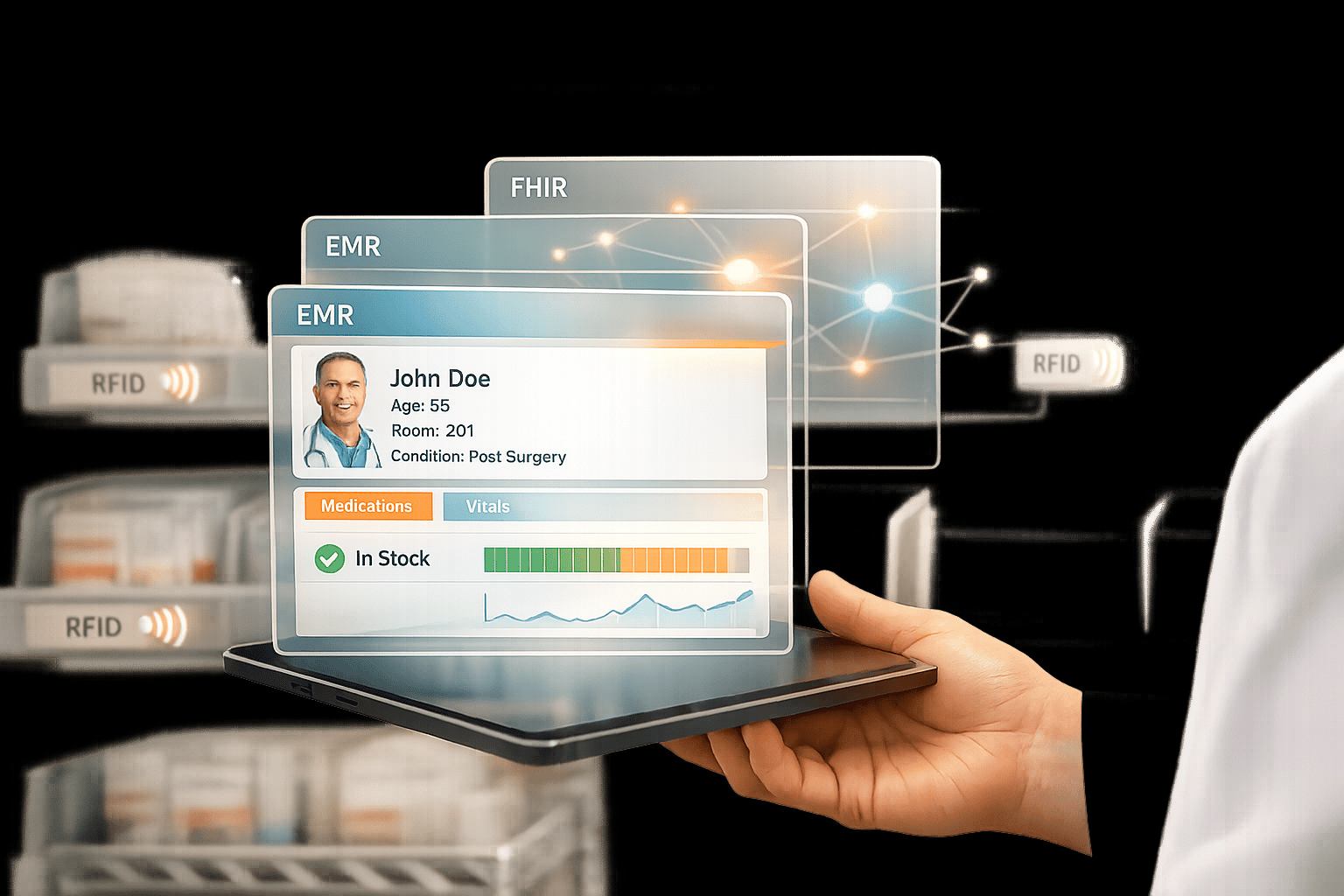
Managing clinic inventory manually wastes time, risks errors, and drives up costs. AI-powered inventory systems, integrated with your EMR, solve these problems by automating tracking, reducing staff workload, and improving supply accuracy. Clinics using these systems save 10 to 20 hours weekly and cut emergency shipping costs by 2 to 3x.
Key Takeaways:
- Save Time: Automate inventory tasks and reduce manual data entry.
- Prevent Errors: Avoid expired or recalled items with real-time updates.
- Improve Efficiency: Track 4,000 to 6,000 items without adding staff.
- Cut Costs: Reduce waste and avoid rush orders.
By following steps like running an inventory audit, checking EMR compatibility (e.g., FHIR standards), and training staff, clinics can streamline operations and focus more on patient care.
How Hospitals Use AI to Automate Inventory Management | Chooch AI
Preparing Your Inventory and EMR Systems for Integration
To ensure a smooth integration of your inventory and EMR systems, it’s crucial to understand your clinic’s operations. Without this, you risk running into failures, compatibility problems, and workflow disruptions.
Running an Inventory Audit
Begin by observing your clinic’s workflow over five consecutive business days. During this time, record every inventory-related action, how long it takes, the staff involved, and any data manually entered into the EMR system. Pay attention to two common challenges: spreadsheet dependency, where staff rely on manual Excel files after their shifts, and double documentation, where information is first written on paper and later re-entered electronically.
Capture screenshots of your EMR interface to document how tasks are completed. Focus on click paths, fields that rely on free text instead of dropdown menus, and any integrations that slow down the process. These screenshots will provide a baseline for tracking improvements down the line.
Be on the lookout for departmental hoarding, where staff create hidden stashes of essential items due to mistrust in the central system. This behavior can lead to inaccurate ordering data, making it harder to integrate systems effectively. Additionally, categorize your inventory data into three types:
- Structured: Data like codes and numbers.
- Semi-structured: PDFs and reports.
- Unstructured: Free-text notes.
AI processes these data types differently, so understanding your data’s layout is an important step.
"AI cannot fix stress. It can fix specific actions, and only when you understand each one's internal and external triggers." - Kamal Sharma, AI Receptionist
Once you’ve established a clear baseline with your audit, the next step is to ensure your EMR system is technically ready for AI integration.
Checking Your EMR System's Capabilities
Confirm that your EMR system supports FHIR 4.0 or HL7 feeds, as these are essential for secure AI data integration. If you’re using older versions of systems like Epic or Cerner, they might limit performance or block necessary data access. Check with your EMR vendor to verify compatibility before moving forward.
Run a stress test to ensure your system can handle the demands of AI processing. For a typical AI pilot, your system should have at least 16 vCPUs and 64 GB of RAM. Additionally, network latency between the AI layer and your EMR database should stay below 50 milliseconds. Anything higher could cause delays that frustrate clinicians during real-time tasks.
Request a gap analysis from your AI vendor to identify potential issues. Make sure they also provide a Business Associate Agreement (BAA) to meet HIPAA and HITECH security requirements. Use a sandbox environment with dummy records to test EMR endpoints. This will help uncover authentication errors, missing API permissions, or problems with data structure.
| Assessment Category | Requirement for AI Compatibility |
|---|---|
| Integration Standards | FHIR 4.0, HL7 |
| Authentication | Token-based API |
| Network Latency | < 50 milliseconds |
| Hardware (Pilot) | 16 vCPUs, 64 GB RAM |
| Security | Encryption at rest and in transit, BAA in place |
"AI EMR data processing doesn't fix a weak foundation; it amplifies it. If your infrastructure is shaky or your compliance policies are half-built, your results will be too." - Aloa
Understanding FHIR and SMART on FHIR Standards
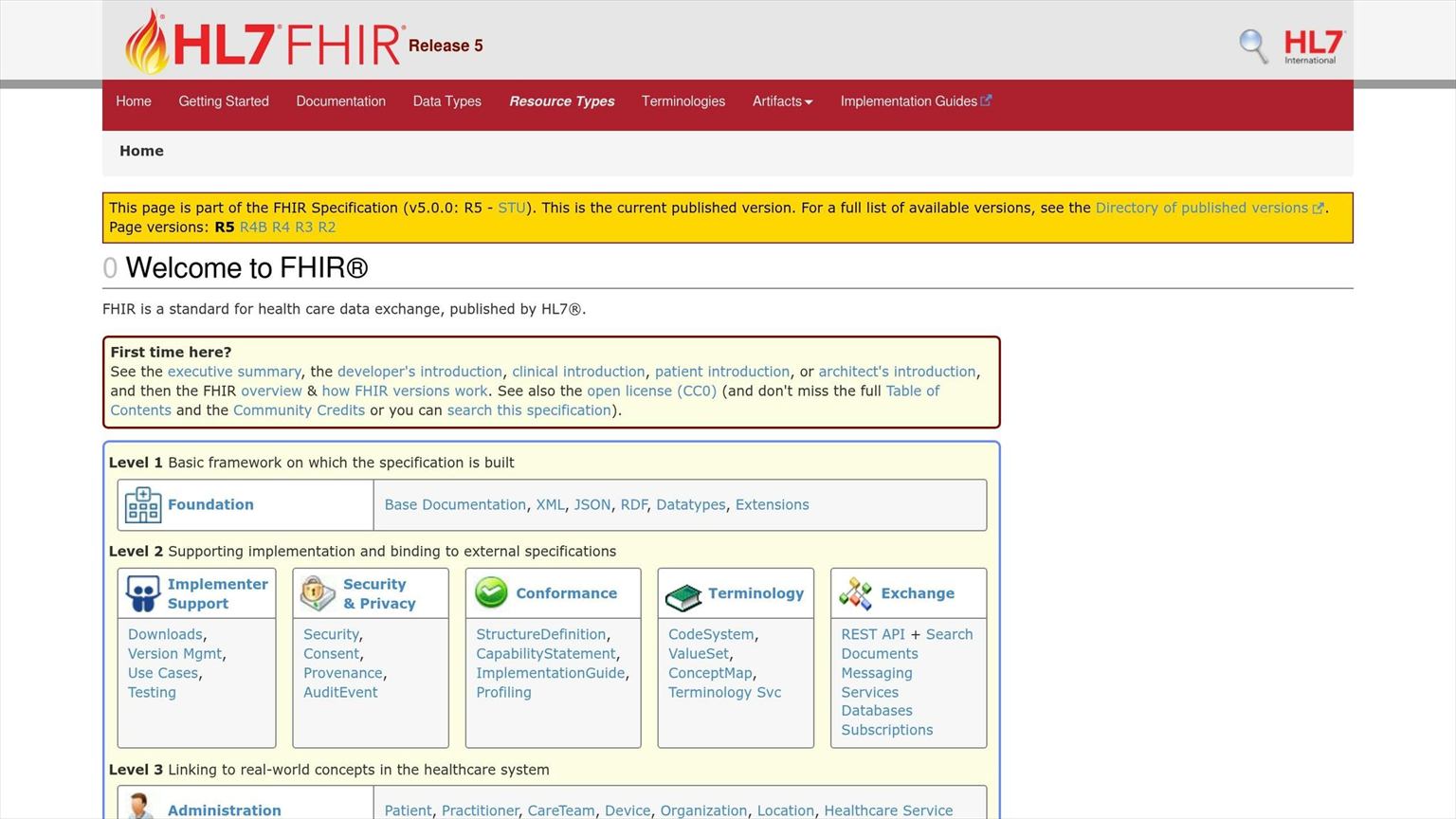
Traditional HL7 vs SMART on FHIR Integration Comparison for Healthcare AI Systems
What FHIR and SMART on FHIR Are
FHIR (Fast Healthcare Interoperability Resources) is a modern framework for exchanging healthcare data through RESTful APIs using JSON payloads. Instead of dealing with unstructured text, FHIR organizes information into "resources", which are standardized containers for entities like patients, medications, and observations. This structured format ensures that AI systems can access consistent, reliable data even when EMR systems undergo updates.
SMART on FHIR builds on FHIR by integrating OAuth 2.0 and OpenID Connect authorization protocols. This combination allows third-party AI applications to securely connect with major systems like Epic, Cerner, and MEDITECH without the need for custom integrations each time. Thanks to the ONC's 21st Century Cures Act regulations, nearly all U.S. hospitals now offer FHIR R4 APIs.
"SMART on FHIR is how modern healthcare apps are built. Full stop." to Parth Pandya, MindInventory
The standout benefit of SMART on FHIR is its portability. Traditional EMR integrations can take 6 to 18 months to complete, but teams leveraging FHIR mappers can reduce this timeline to just 4 to 8 weeks. SMART on FHIR also uses OAuth 2.0 scopes to limit AI systems' access to only the necessary data - like medication lists - rather than granting access to entire patient records. This approach aligns with HIPAA's "minimum necessary" principle, simplifying compliance and audits. By standardizing these processes, integrating AI inventory systems becomes far less disruptive.
How FHIR Improves Inventory Integration
FHIR is a game-changer for real-time data exchange between EMRs and inventory systems.
With FHIR, inventory systems can communicate with EMRs in real time using synchronous APIs. Unlike older batch processing methods, FHIR APIs deliver results in milliseconds. This speed allows AI to check medication stock levels, get instant updates, and trigger timely alerts - all without the delays that can slow down busy clinical environments.
For inventory management, FHIR provides resources like MedicationRequest (for active medications), Device (for medical equipment), and SupplyRequest (for inventory needs). By selectively loading only the necessary resources, AI systems can reduce token consumption by 40 to 60%, cutting operational costs while maintaining precision. Additionally, SMART on FHIR enables AI tools to integrate directly within the EMR interface, passing patient and user context seamlessly to the application. This eliminates the need for staff to toggle between systems or re-enter data manually.
| Feature | Traditional Integration (HL7 v2) | SMART on FHIR |
|---|---|---|
| Data Format | Pipe-delimited messages or XML | RESTful JSON/XML |
| Portability | Vendor-specific | Consistent across platforms |
| Latency | Batch-processed (hours) | Real-time (milliseconds) |
| Security | Proprietary/Vendor-specific | OAuth 2.0 / OpenID Connect |
| AI Compatibility | Low (requires complex parsing) | High (structured, predictable data) |
Setting Up AI Inventory Automation
Once your EMR and inventory systems are ready and connected via FHIR, the next step is configuring AI tools to manage daily inventory tracking and restocking. Manual processes often lead to errors, stockouts, and wasted staff hours. AI automation addresses these challenges by processing inventory data consistently, reducing the risk of human mistakes.
Configuring Real-Time Inventory Alerts
Real-time alerts help maintain inventory levels without constant manual oversight. These alerts are triggered by specific events, such as low stock levels, EMR updates, or vendor notifications, ensuring critical items are replenished before running out.
To enable real-time data, hardware integration is crucial. Tools like RFID tags, barcode scanners, and smart shelves provide live inventory updates. For instance, when a nurse scans a medication or removes an item from a smart shelf, the system updates the count instantly. These tools should connect to your EMR via FHIR 4.0 or HL7 interfaces, allowing the AI to track supply usage during procedures in real time. This integration ensures alerts are based on actual clinical activity, not just warehouse stock.
Set alert thresholds strategically, factoring in supplier timelines. For example, if a vendor requires five business days to deliver, configure the system to trigger a reorder alert when stock reaches a seven-day supply. This provides a buffer for unexpected delays. Initially, use a human review process for these alerts to validate the system and catch any edge cases. Many healthcare organizations reclaim 10 to 20 hours of staff time weekly within the first month of deployment.
To ensure timely communication, maintain network latency below 50 milliseconds between the AI system and the EMR database. Test the AI in shadow mode before going live to verify accuracy.
Using Barcode and RFID Technology
Integrating barcode scanners and RFID tags eliminates manual data entry errors. Instead of staff manually recording inventory - where "50" could mistakenly become "500" - automated scanning ensures accurate counts. AI systems designed for medical data processing should aim for data extraction accuracy above 90%.
AI-powered computer vision can further simplify tracking. Cameras installed in supply rooms can monitor shelves and update inventory automatically as items are removed, eliminating the need for manual scanning. When connected to your EMR, this technology creates an audit trail for billing and compliance.
Start with a phased approach, implementing barcode or RFID tracking in one department - perhaps the area with the highest volume or most frequent stockouts. Once the system proves reliable, expand to other units.
Initial investment costs vary: small practices might spend $50,000 to $150,000 in the first year, while larger healthcare networks could invest $500,000 to $2 million. However, the benefits are substantial. Hospitals using AI tools for administrative tasks report a 30% reduction in documentation time, allowing staff to focus more on patient care.
Setting PAR Levels with AI Analysis
PAR (Periodic Automatic Replenishment) levels dictate the minimum and maximum quantities of each item to keep in stock. This can be tricky to manage manually, especially with fluctuating patient needs. AI simplifies this by analyzing historical usage data and scheduled procedures to forecast demand.
Machine learning identifies patterns specific to each department. For example, a cardiology unit’s needs will differ from those of orthopedics. The system learns from past stockouts and adjusts safety stock levels to prevent future shortages. It can even account for seasonal trends, such as increasing respiratory-related supplies during winter months.
By linking AI to EMR data, the system can access scheduled procedures and historical patient volumes, shifting inventory management from reactive (ordering after supplies run out) to proactive (ordering before demand spikes). AI also tracks supplier performance, optimizing reorder points to account for vendors with slower delivery times.
Test AI-generated PAR level suggestions in shadow mode alongside manual counts. This helps build trust in the system and highlights any edge cases. Focus first on high-impact items - such as specialized medical equipment or expensive supplies - where shortages or overstocking could have serious clinical or financial consequences. Configure the AI to monitor multiple triggers, like EMR status changes or form submissions, to initiate replenishment workflows.
AI can also reduce waste by flagging items nearing expiration, ensuring they are used before being discarded. This approach supports both patient safety and cost savings.
Training Staff and Tracking Results
Staff Training and Setup
Proper training is key to making the most of an AI inventory system. It's not just about teaching technical controls - it’s about helping staff understand the system’s strengths, weaknesses, and when their own judgment is critical.
"Workers who master AI don't just know what buttons to push, they understand when to use it, how to assess outputs, and where human judgment still trumps algorithms." - Expert, itacit.com
Training should be customized based on roles. For instance, staff scanning medications will need different guidance than those managing reorder alerts. Offer flexible options like virtual instructor-led training (VILT), self-paced modules, and sandbox environments for hands-on practice with the EMR-integrated system.
Getting your team involved early makes a big difference. Employees who receive at least five hours of training, along with in-person coaching, show significantly improved adoption rates. Assign dedicated team members to oversee specific areas - clinical, data, and IT - to monitor performance, gather feedback, and track updates.
Rolling out the system in phases, starting with a pilot department, allows teams to build confidence while working through potential issues. Well-prepared teams often see efficiency gains of 20 to 30%, with 94% of success linked to strong professional development efforts.
Solid training not only boosts adoption but also lays the groundwork for effective performance tracking, ensuring the system meets both clinical and operational goals.
Measuring Performance with Key Metrics
Once staff training is underway, the next step is tracking performance to confirm the system’s impact. Start by establishing baseline metrics before automation - this provides a clear benchmark for measuring progress. Key areas to track include time spent on inventory tasks, manual data entry errors, and emergency ordering costs. Many organizations reclaim 10 to 20 hours of staff time per week within the first month of AI implementation. Early targets might include cutting total processing time in half or automating 90% of manual inventory tasks.
Both quantitative and qualitative metrics matter. For example, aim for over 90% data extraction accuracy and system uptime above 99.9%. Keep an eye on emergency ordering costs, as rush shipments can be two to three times more expensive than standard deliveries. Even small gains in ordering efficiency can lead to noticeable savings.
| Metric Category | Key Performance Indicators | Success Benchmark |
|---|---|---|
| Efficiency | Time saved per week; documentation time reduction | 10 to 20 hours reclaimed/week |
| Accuracy | Data extraction accuracy; inventory count precision | >90% accuracy |
| Financial | Reduction in rush shipping fees; minimized expired waste | 2 to 3× savings on emergency fees |
| Operational | Stockout frequency; exception rates | 50% reduction in processing time |
During the first month, conduct weekly reviews to fine-tune safety stock levels and alert thresholds as the AI system learns. Set up automated alerts to flag anomalies - such as unexpected spikes in exceptions requiring manual intervention - so you can resolve issues before they affect patient care. A centralized dashboard can provide real-time updates on performance, error rates, and clinician usage. Most healthcare systems see a return on investment within 12 to 24 months of AI integration.
Tracking these metrics not only ensures smooth integration but also highlights how AI-EMR systems can improve clinic efficiency and amplify the impact of a well-trained team.
Conclusion
Connecting AI-powered inventory systems to your EMR can help clinics save time and cut down on inefficiencies. With clinics typically allocating 25 to 30% of their budget to supplies and managing between 4,000 and 6,000 items, even small steps toward automation can lead to big results. Many clinics see noticeable time savings for their staff within just the first month of using these systems. Plus, avoiding last-minute ordering can significantly reduce costs, as expedited shipping fees can be 2 to 3 times higher than standard rates.
"Every minute staff spends hunting for supplies is a minute they're not caring for patients." - Datagrid Team
The benefits are clear: solutions like Diagna are transforming how clinics operate. From auditing inventory to using real-time alerts and training staff, these tools make it easier to maintain efficient workflows. Real-time tracking removes the need for duplicate documentation, predictive forecasting helps prevent stockouts, and automated monitoring of expiration dates improves patient safety while cutting down on waste. By simplifying inventory management, clinics can shift their focus back to what matters most - patient care.
For specialty clinics looking to grow without adding extra staff, Diagna's AI tools can handle up to a 10× increase in workload with over 98% accuracy. These systems integrate smoothly with any EMR, automating front-office tasks like inventory management without disrupting daily operations.
Start with a pilot program, measure your baseline, and involve your staff in the process. AI-EMR integration turns inventory management into a proactive, efficient system that benefits both your team and your patients.
FAQs
What EMR data do I need to connect for inventory automation?
To make inventory management run smoothly, link patient and appointment data from your EMR system. The crucial data points to focus on are demand forecasts, inventory usage trends, and current supply levels. This connection ensures precise reordering and simplifies the entire inventory process.
How can I run a safe pilot without disrupting clinicians’ workflows?
To ensure a smooth and safe pilot, begin by closely observing front desk operations for about a week. Pay attention to any bottlenecks or inefficiencies, but resist the urge to make immediate changes. Instead, take detailed notes on which tasks are causing issues and outline how AI can help streamline these processes. Be transparent with your staff and clinicians, explaining any planned changes and how AI will fit into their workflows.
Start small by introducing AI to handle non-critical tasks. Use a human-in-the-loop approach to maintain accuracy and build trust in the system. Keep communication lines open throughout the process, actively monitoring progress and gathering feedback. Use this input to make adjustments as needed, ensuring the transition is as seamless as possible.
What security and HIPAA documents should I require from the AI vendor?
When evaluating a vendor's commitment to protecting sensitive information, especially in healthcare, it's crucial to review specific documentation that outlines their security practices. Here's what to focus on:
- Technical Safeguards: Look for detailed explanations of the technical measures in place to protect electronic protected health information (ePHI). This might include descriptions of firewalls, intrusion detection systems, and other tools designed to prevent unauthorized access.
- Data Encryption: Ensure the vendor provides evidence of robust encryption protocols, both for data at rest and in transit. Documentation should specify the encryption standards used (e.g., AES-256) and how these comply with HIPAA requirements.
- Access Controls: Review policies that define how access to ePHI is restricted. This includes role-based access, multi-factor authentication, and procedures for granting or revoking access privileges.
- Audit Logs: Verify that the vendor maintains comprehensive audit logs to track access and activity related to ePHI. These logs should detail who accessed data, what actions were taken, and when they occurred, ensuring accountability and transparency.
Additionally, request documentation that clearly outlines the vendor's data governance policies. These should demonstrate how they handle, store, and protect patient data while adhering to HIPAA standards. A strong emphasis on patient privacy and security is non-negotiable.
By thoroughly examining these materials, you'll gain confidence in the vendor's ability to meet regulatory standards and safeguard sensitive information effectively.
Automated data entry
Diagna pulls patient, insurance, and diagnosis details off each document and enters them into the chart. No retyping.
See how Diagna automates EMR data entry